
Classic Diploma
Graduation & completion / Western classic
Create with this template →
Free iPhone app to create award certificates, diplomas & appreciation awards.
Print directly from the app. Perfect for schools, offices, kids rewards & special occasions.
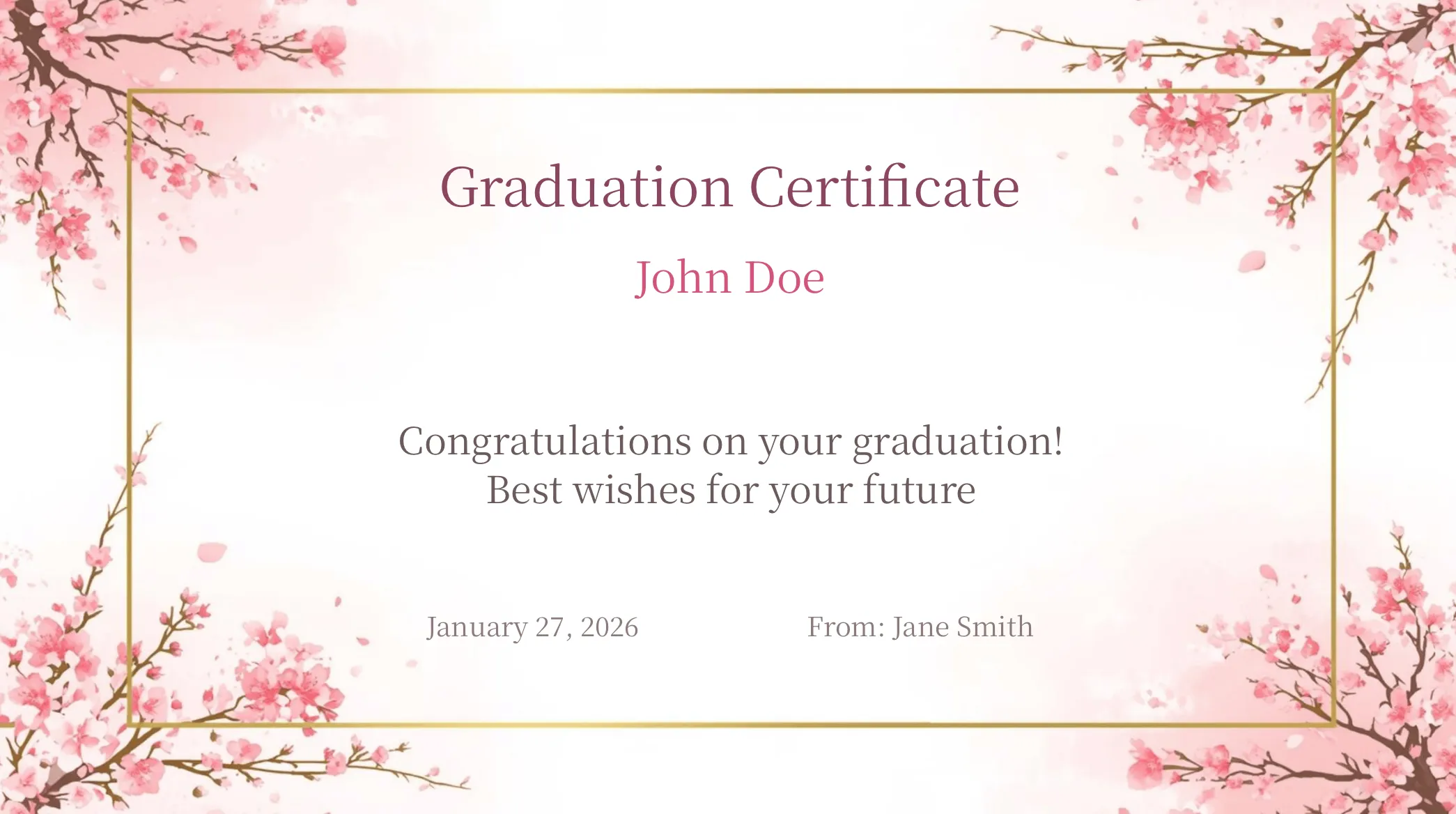
Choose from 9 designs: Certificate of Achievement, Classic Diploma, Floral, Sakura Graduation, Birthday, New Beginnings, Mother's Day, Father's Day, and Thank You Card.
Choose from preset messages, pick dates from a calendar, and create your original certificate in minutes.
Save your created certificates in the app and reuse anytime.
Layouts optimized for each template.
Auto-save your work in progress. Resume editing anytime.
Play background music while previewing the certificate.
Supports Japanese and English. Automatically switches based on your device settings.
Print directly to your printer from the app.
Tap to hide buttons and view your certificate in fullscreen.
One-tap sample text input for quick preview.
Save, share, and print buttons are one tap away, with no menu to open.
Message input field automatically expands as you type.
Pick a design you like and create it instantly with the free app "Award Certificate Maker".
Graduation & completion / Western classic
Create with this template →
Awards & recognition / Formal
Create with this template →
Thank-you & gifts / Elegant
Create with this template →
Graduation / Japanese cherry blossom
Create with this template →
Birthday celebration / Pastel
Create with this template →
School enrollment / Fresh spring
Create with this template →| Template | Style | Best For | Layout |
|---|---|---|---|
| Floral | Elegant | Appreciation & gifts | Horizontal |
| Sakura Graduation | Japanese | Graduation & completion | Horizontal |
| Birthday | Pastel | Birthday celebrations | Horizontal |
| New Beginnings | Spring & Fresh | School enrollment & entrance | Horizontal |
| Mother's Day | Carnation | Mother's Day & gratitude | Horizontal |
| Father's Day | Gratitude | Father's Day & gratitude | Horizontal |
| Thank You Card | Colorful Floral | Thank-you notes & appreciation | Horizontal |
| Classic Diploma | Traditional Western | Graduations & completion | Horizontal |
| Certificate of Achievement | Traditional Western | Achievement & recognition | Horizontal |
Browse 9 beautiful designs for any occasion
Enter recipient name, award title, and message
Export as high-quality PNG, share via social media or AirDrop

Home

Templates

Input
Preview: Floral
Preview: Sakura Graduation
Preview: Birthday
Preview: New Beginnings

Preview: Mother's Day
Preview: Classic Diploma
Preview: Certificate of Achievement

My Awards
Sports days, cultural festivals, club activities, and more
Employee of the month, sales achievements, and recognition
Express gratitude with a special personalized certificate
Contest prizes, tournament awards, and participation certificates
Celebrate special days with pastel-colored birthday cards
Record good behavior, homework completion, and milestones with colorful certificates
Yes, all basic features are completely free. You can download the app from the App Store at no cost, choose from 9 beautifully designed templates, and create professional-quality award certificates. All core features including creating, saving, sharing, and printing certificates are available without any additional charges.
Yes, the core features for creating, editing, and saving certificates on your device work offline. You can select templates, enter text, preview your certificate, and export high-quality PNG images without an internet connection. Created certificates are stored on your device. Sharing may require connectivity depending on the destination service. Network communication may still be used to display ads, measure app usage and device information, collect crash diagnostics, register and deliver notifications, and retrieve configuration values.
The app is ideal for a wide range of occasions including school award ceremonies, sports day events, company employee recognition, and club activity prizes. It's also perfect for personal use such as family appreciation certificates, children's reward cards, birthday celebrations, and Mother's Day appreciation.
We offer 9 beautifully crafted templates: Certificate of Achievement and Classic Diploma for traditional Western-style awards, Floral for elegant appreciation certificates, Sakura Graduation for academic achievements, Birthday with pastel colors for fun celebrations, New Beginnings for spring enrollment, Mother's Day with a carnation theme, Father's Day for showing gratitude to dads, and Thank You Card with colorful flowers for saying thanks. The text fields vary by template.
Yes. Use the floral or birthday card designs to record achievements, good behavior, homework completion, or special milestones. Parents and teachers can enter a name, award title, and message, then save, share, or print the certificate.
Yes, you can print certificates directly from the app using an AirPrint-compatible printer. Select a printer and print settings in the iOS print dialog. Alternatively, you can export your certificate as a high-quality PNG image and print it at home, at a convenience store, or at a professional print shop.
You can share completed certificates with the built-in share function, including through social media, AirDrop, email, or the photo library. Certificates are exported as PNG images.
The interface is available in Japanese and English and switches according to your device language settings. For certificate content, enter the wording with your device keyboard, then check it in the preview before saving or sharing, especially for text outside Japanese or English.
Award Certificate Maker is currently available exclusively for iOS (iPhone / iPad) on the App Store. An Android version is not currently planned, but we may consider it if there is significant user demand. Please send your requests through our contact form.
Each template has recommended character limits to ensure beautiful layout. The input screen shows a real-time character count so you can compose your message while maintaining a well-balanced design. You cannot type beyond the limit: the field stops accepting text once it is reached (limits vary by template; most horizontal templates allow up to 30 characters for the title, 24 for names, and 96 for the message). Keeping wording shorter than the limit gives the best visual balance.
Yes, you can edit any saved certificate from My Awards (your creation history). Select the certificate you want to modify and tap the Edit button. Your edited version is saved as a new certificate, so the original is preserved. The app also supports automatic draft saving.
Yes. When printing directly from the app, select A4 paper in your printer settings. You can also save the certificate as a high-quality PNG, transfer it to your computer, and print at any size you prefer. Convenience store multifunction printers support A4, A3, B4, and other standard paper sizes.
Tips and guides for creating award certificates and recognition documents
Complete guide to English certificate wording with templates for Achievement, Appreciation, Completion, and Recognition certificates.
Creative certificate ideas for chores, academics, sports, and more. Includes award titles and wording examples for each occasion.
Scene-specific templates and writing tips for appreciation certificates. Covers retirement, volunteer, business, teacher, and PTA appreciation.
Professional certificate designs and wording for business. Covers long service, MVP, and project awards.
Master the art of certificate wording with scene-specific templates and examples. From formal awards to heartfelt recognition.
Step-by-step guide to creating professional certificates on your iPhone. From template selection to printing and sharing.
Understand the differences between award, achievement, and appreciation certificates. Learn when and how to use each type.
Curated collection of free graduation certificate templates. Ready-to-use designs for preschool, school, and course completions.
Award certificate templates and wording for sports events and competitions. Covers team sports, individual events, and participation awards.
28 ready-to-copy sports day certificate wording examples organized by event type, scenario, and for young children.
Creative certificate ideas for music, swimming, language classes, and more. Inspire students with meaningful recognition awards.
How to print certificates at home or at a print shop. Tips on paper selection, sizing, and getting professional-quality results.
20 humorous award ideas for office parties, team events, and celebrations, with sample wording to adapt to the recipient and occasion.
Five wording patterns for birthday awards: two for kids and three for adults (partner, milestone, office) — plus how to pick the right pastel template.
Five wording patterns for Mother's Day across three scenes: from kids, from spouse, and from community — with carnation-themed templates.
Five wording patterns for Valentine's Day: partners, friends, classroom Valentines, and the workplace — with a heart-themed template.
Five wording patterns for school entrance and promotion — elementary, middle/high school, college, year-to-year, and grandparent to grandchild — with the New Beginnings template.
The app is free to use. Download for your device.
Free to download.